
How to choose a server for Odoo / ERP hosting
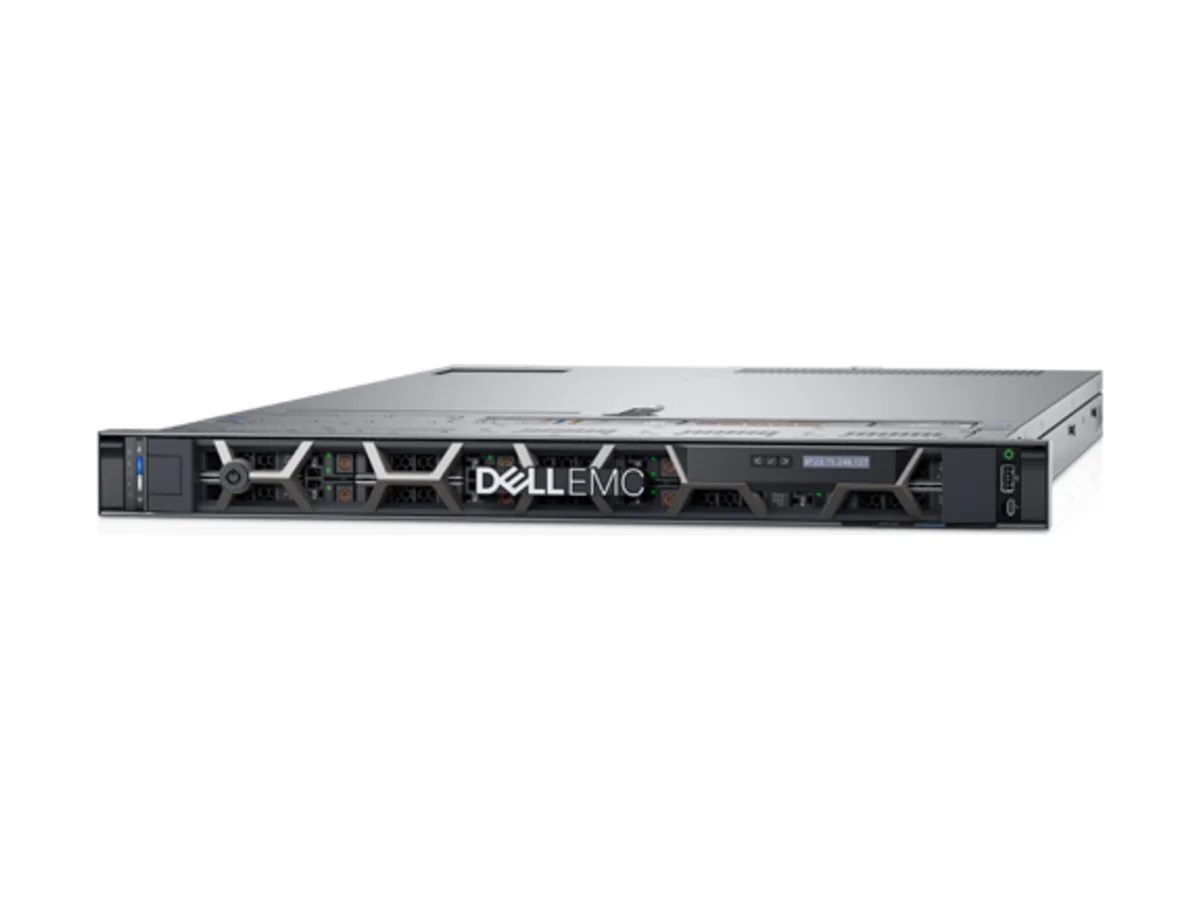 Dell PowerEdge R640
Running Odoo or another ERP on your own server keeps your data in your office or data centre and gives you a fixed hardware cost. The hard part is sizing: too small and users wait, too large and you overspend. This guide uses Odoo's own published sizing rules to estimate processor cores and memory, then explains storage, RAID and management choices and which refurbished servers fit.
How Odoo uses a server
A production Odoo installation has two main parts: the Odoo application, written in Python, and a PostgreSQL database. Both can run on the same server, which is the usual setup for a small or medium business, or on separate servers for larger installations. Odoo's documentation recommends its multi-processing mode for production on Linux. In that mode Odoo starts a pool of workers, each handling one request at a time, plus extra cron workers for scheduled jobs and a dedicated worker for live chat.
So the questions are: how many workers do you need, how many processor cores do they need, and how much memory do they use?
Odoo's sizing rules of thumb
The Odoo system configuration documentation gives these rules:
- Workers: a theoretical maximum of (number of CPUs x 2) + 1, and roughly 1 worker for every 6 concurrent users. Cron workers need CPU too.
- Memory: assume 20% of requests are heavy and 80% light. A heavy worker uses around 1GB of RAM and a light worker around 150MB, so needed RAM = workers x ((0.8 x 150MB) + (0.2 x 1GB)), about 325MB per worker.
Odoo's own example is a server with 4 CPUs and 8 threads for 60 concurrent users: 60 / 6 = 10 workers needed in theory, (4 x 2) + 1 = 9 as the maximum, so it uses 8 workers plus 1 for cron, and about 3GB of RAM for Odoo.
Worked sizing examples
Applying the same formulas to other office sizes gives the starting points below. Concurrent users are people actively working in Odoo at the same moment, which is usually far fewer than the number of accounts.
| Concurrent users | HTTP workers (users / 6) | Plus cron | CPU cores for (cores x 2) + 1 | RAM for Odoo workers |
|---|---|---|---|---|
| 12 | 2 | 3 workers | 1 or more | about 1GB |
| 30 | 5 | 6 workers | 3 or more | about 2GB |
| 60 (Odoo's example) | 8 (10 in theory) | 9 workers | 4 (8 threads) | about 3GB |
| 120 | 20 | 21 workers | 10 or more | about 7GB |
Calculated with the formulas from Odoo's documentation (source below). The RAM figure covers the Odoo workers only.
These numbers are for Odoo itself. On top of them you need memory for PostgreSQL, the operating system and anything else on the server, and PostgreSQL performs best when much of the database fits in memory. Odoo's documentation also recommends monitoring CPU load and adjusting the worker count from there. Use the table as a minimum, then add headroom for growth, custom modules, reports and integrations.
Choosing the hardware
Processors
Count cores, not sockets. A single modern Xeon covers a small office; a two-socket server gives room for more workers, a separate test database, or virtual machines for Odoo, PostgreSQL and a backup server on one host.
Memory
Server memory is ECC, which detects and corrects memory errors and matters for a database. Fill only some memory slots at first so you can add more later; our two-socket Dell servers have 24 DIMM slots.
Storage and RAID
Put the database on SSDs in RAID 1 (two drives) or RAID 10 (four or more), on a hardware RAID controller. Dell PERC controllers with cache, such as the H730P and H740P, are a common choice for databases. Keep regular backups on separate storage as well: RAID protects you from a failed drive, not from deleted records or ransomware.
Remote management and power
Dell iDRAC lets your IT partner monitor hardware health and manage the server remotely. Two hot-swap power supplies keep it running if one fails, ideally with a UPS.
Which refurbished server for Odoo?
- Small team: the Dell PowerEdge T140 tower (from RM 2,621) or the 1U Dell PowerEdge R240 (from RM 2,999). One Xeon E-2100/E-2200 processor and 4 DDR4 slots. Note that both use a single fixed power supply.
- Growing company, rack: the 1U Dell PowerEdge R630 (from RM 1,320) or Dell PowerEdge R640 (from RM 2,567), with two processors, 24 DIMM slots, 2.5" SSD bays and hot-swap redundant power.
- Larger installation or several virtual machines: the 2U Dell PowerEdge R730 (from RM 1,445) or Dell PowerEdge R740 (from RM 4,517), with more drive bays for separate database, file and backup volumes. Compare them in our R730 vs R740 guide.
- No server rack: the Dell PowerEdge T630 (from RM 4,982) or Dell PowerEdge T640 (from RM 9,638) towers, each with a PERC H330 included. See T630 vs T640.
The same approach works for other ERP and accounting systems: find the vendor's sizing guidance, estimate cores and memory for your concurrent users, then add room for the database, backups and growth. For general advice, see our guide to the best refurbished server for SMEs in Malaysia.
Buying from ServerStore Malaysia
Every server in this guide is refurbished and in stock, and is configured to your order and tested before it ships. Each one comes with a 1 Year Return To Base Warranty and has a 7-14 working day lead time after payment confirmation. We deliver across Malaysia by GDEX, or you can collect free from our office in Cheras, Selangor. Not sure which build fits? Ask our engineers about your workload, or price your own build in our server configurator Malaysia.
Sources
- Odoo documentation: System configuration (worker and memory sizing)
- Dell EMC PowerEdge R740 and R730 server comparison matrix
- ServerStore Malaysia configurator data for each model (options and From prices, read live)